
Day-to-day operations
Follow the service
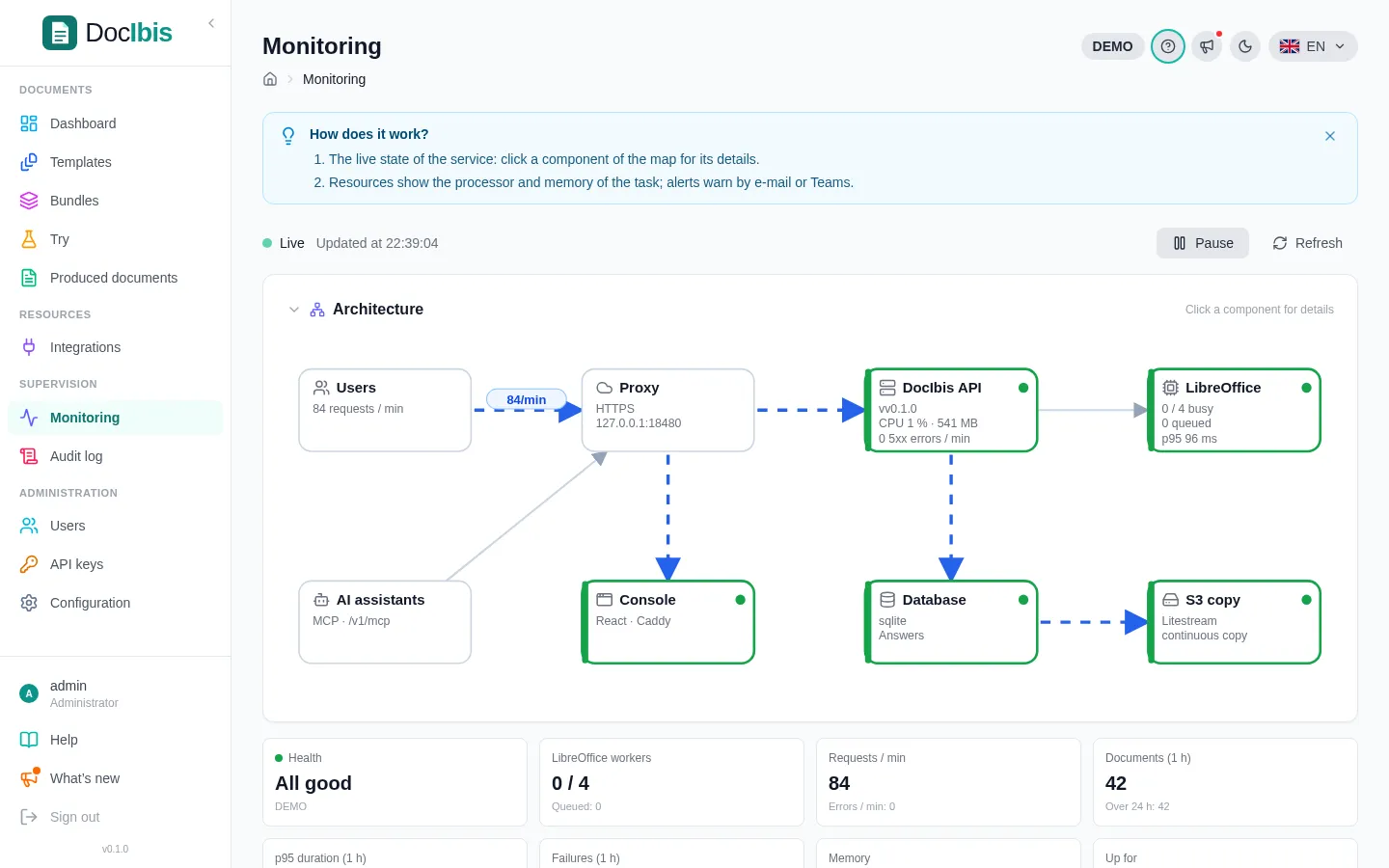
Section titled “Follow the service”Monitoring shows the processor and memory, render times and the LibreOffice workers. Alert rules send an e-mail or a Teams message when a value crosses a threshold.
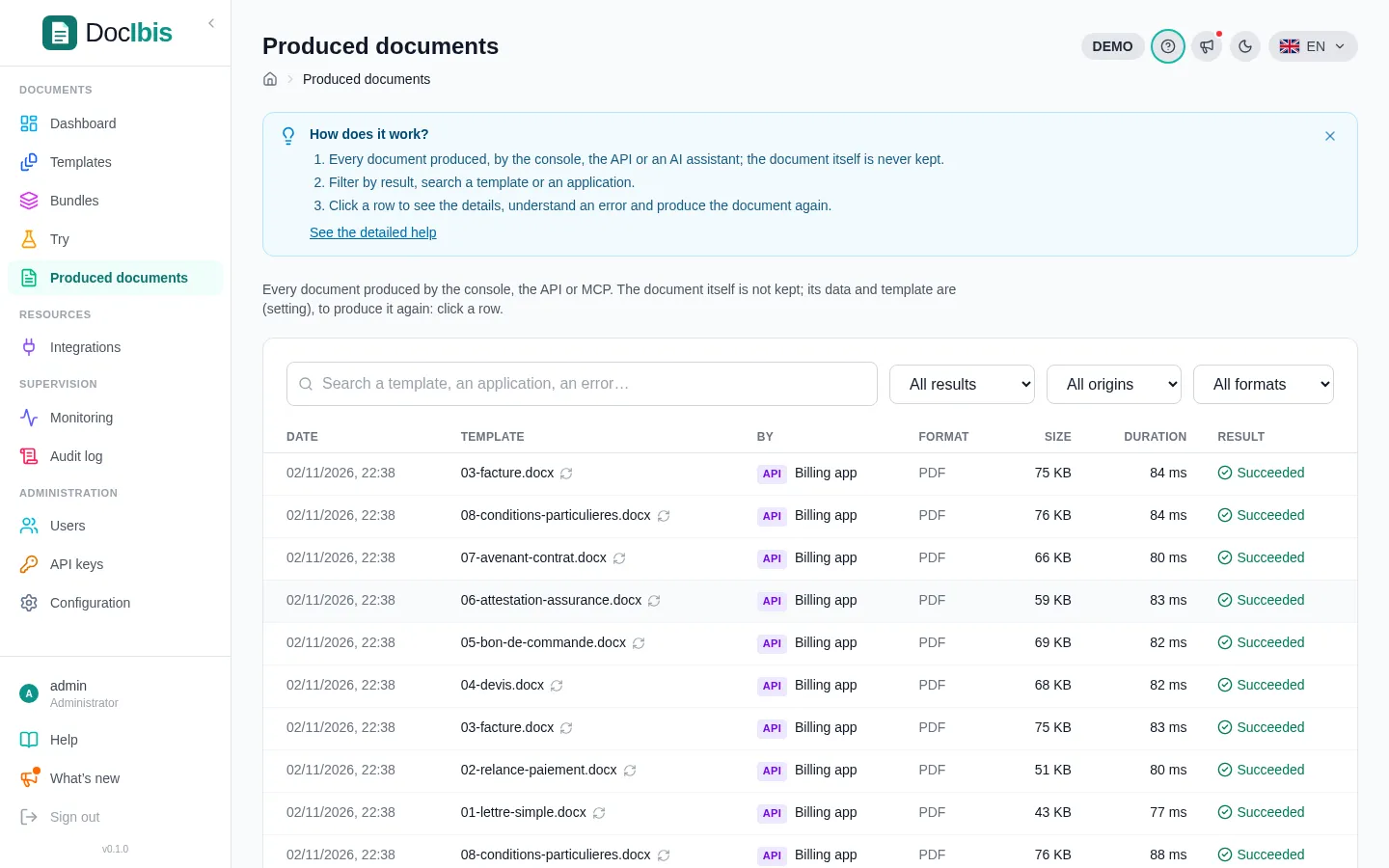
Produced documents lists every document: template, application, duration and result. Click a row to see an error and produce the document again. The document itself is never kept.
The Audit log records every change made in the console: who, what and when.
Commands
Section titled “Commands”The installer adds the docibis command on the server:
sudo docibis status # containers, version, health, database, disk, latest backupssudo docibis logs -f api # logssudo docibis backup # back up the database nowsudo docibis backups # list the backupssudo docibis restore latest # replace the database with a backupsudo docibis update # update to the latest releasesudo docibis config # edit .env, then apply itsudo docibis db move postgres://docibis:password@db.example.com:5432/docibisdocker compose still works in /opt/docibis, for example docker compose restart api after adding fonts.
Update
Section titled “Update”sudo docibis update backs up the database, installs the latest release (or the one given: sudo docibis update v0.2.1, or main for the latest build), then checks that the API answers. When the new version does not start, it goes back by itself to the previous version, with the data of the backup made just before, and writes the logs of the failure to /opt/docibis/update-failed.log.
What’s new, in the console, lists the changes of each version.
Back up and restore
Section titled “Back up and restore”Every night (Configuration → Backups: hour in UTC, 30 days kept, the three latest always), DocIbis backs up its whole database (templates and versions, accounts, API keys, settings, history) into one file encrypted with APP_SECRET_KEY, then reads it back into a new database to check that it restores. The same page lists the backups, makes one at once and downloads them.
The backups are kept next to the continuous copy of the database: in the data volume (/data/backups), or in the bucket of STATE_URL. Set STATE_URL to keep them off the server.
sudo docibis restore latest # or a name given by docibis backups, or a day: 2026-11-06The API stops during the restore; the state before it is backed up first, and everyone signs in again. A SQLite backup restores into PostgreSQL, and the other way round.
Keep a copy of /opt/docibis/.env elsewhere: without its APP_SECRET_KEY, no backup can be read, and the second-factor secrets cannot be opened.
Move to PostgreSQL
Section titled “Move to PostgreSQL”sudo docibis db move 'postgres://docibis:password@db.example.com:5432/docibis?sslmode=require'DocIbis backs up its database, copies it into PostgreSQL (version 15 or later, an empty database of its own), then starts on it; if it does not start, it goes back to the previous database. The previous settings stay in /opt/docibis/.env.before-move, and the SQLite database in its volume.
Remove
Section titled “Remove”cd /opt/docibis && docker compose down -v # removes the containers AND the datasudo rm -rf /opt/docibis