
Overview
Emulytics is a self-hosted control console for Android devices and persistent emulators. It separates three operations:
- Prepare a device. Connect a physical Android device or create an emulator and prepare its applications.
- Publish a journey. Describe an objective, review its generated steps and publish an immutable version.
- Run or schedule it. Select the devices, confirm the launch and inspect each device’s results.
The application currently displays the Emulytix name in parts of its console and uses EMULYTIX_ configuration variables. The public repository and documentation use Emulytics. Those technical names are intentional; changing an environment variable’s spelling will not rename the product.
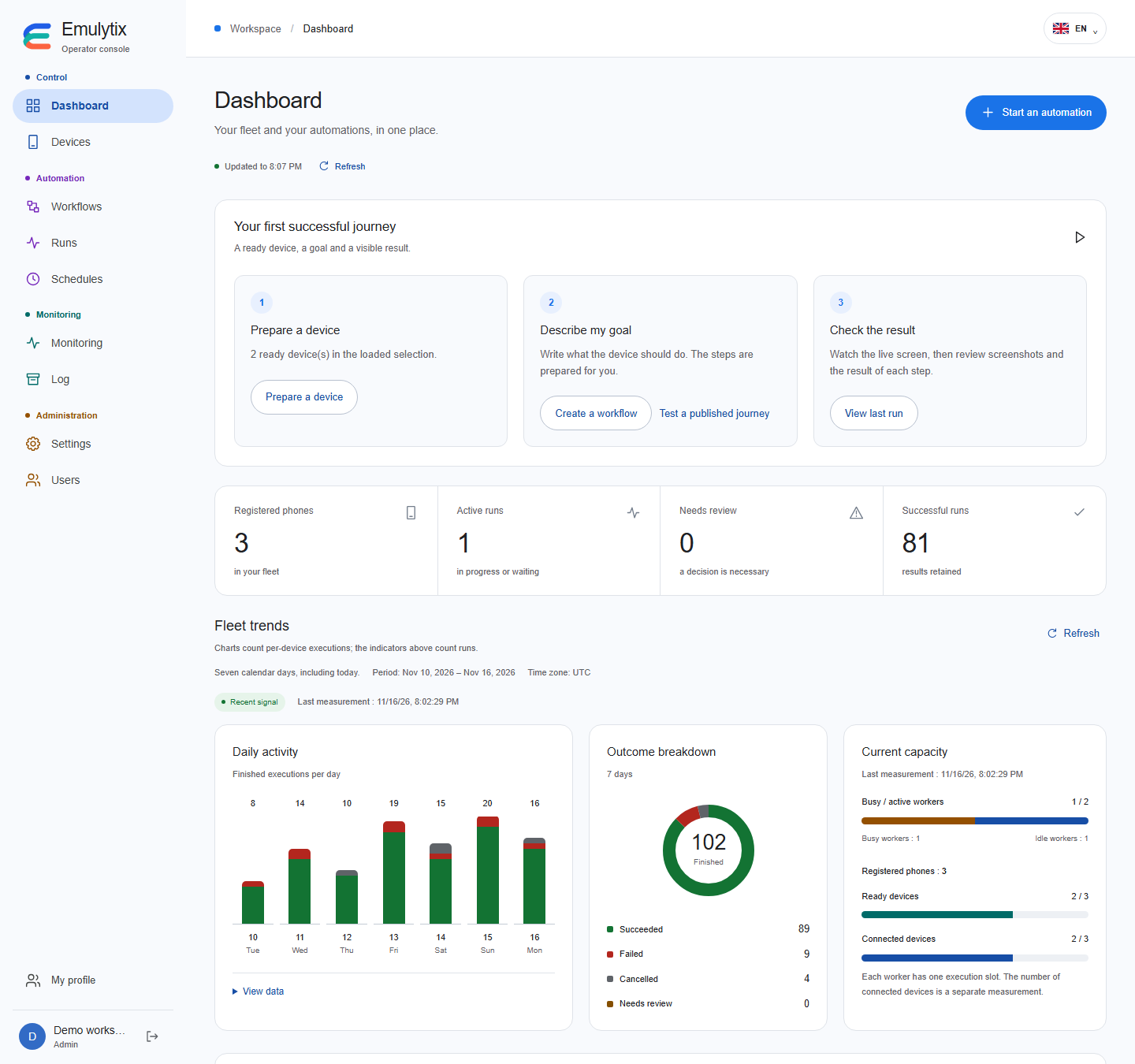
The dashboard in a demonstration workspace.
What is available
Section titled “What is available”- Persistent Android emulators, physical device registration, groups and selected bulk actions.
- Built-in reference journeys for Wikipedia searches and reading Android’s version, without an account or language model.
- OpenAI, local Ollama and DeepSeek for other goals that fit the driver’s supported actions.
- Search F-Droid and Aptoide for standalone APK releases, or upload APKs you already have.
- Versioned journeys, immediate launches, timezone-aware schedules and PostgreSQL-backed work queues.
- Execution screenshots, an observed Android-version result, live screens during active runs and controlled retries.
- Dashboard charts, a component map, service metrics and an audit journal.
- Local users, five roles, mandatory password change at first sign-in and TOTP.
- Scoped personal API keys and a local stdio MCP adapter.
Current platform
Section titled “Current platform”The reproducible local runtime is Android 10 / API 29, x86_64, with the Chrome version provided by that system image. The full installer requires Linux x86_64, local Docker and KVM. iOS support is planned; it is not included in the current driver.
The console supports English, French, Simplified Chinese, Hindi, Spanish, Portuguese, Arabic, Russian, Bengali and German. The public documentation is initially in English.
Start with installation, then secure your account.